

Here’s how to fill out China arrival card details on the s.nia.gov.cn portal. You enter passport, flight and hotel data for the China Digital Arrival Card (CDAC), sign on screen, then save the QR code. It’s free.
This is an independent guide, not a government site. We don’t charge anything and we don’t file the card for you. Use it to understand each screen, then check dates and rules on the government portal before you travel.
Who Needs the Card and Who Doesn’t
Most foreign visitors entering China must file one, whether they hold a visa or travel visa-free, unless they belong to an exempt group. The National Immigration Administration (NIA) issues it, as its portal shows. It’s an entry declaration, not a visa. For a full breakdown of eligibility rules, see who needs to fill the China arrival card and who is exempt.

Online filing started on 20 November 2025, and paper cards have also been handed out on planes and at immigration counters. You file whether you hold a visa or travel visa-free, including with 240-hour transit. Visa-free stay periods depend on your nationality, so check the rules that apply to you. You still file the card.
You need a new card for each entry, including re-entry after leaving, for example via Hong Kong. You don’t need to file if you are:
- a holder of a Foreign Permanent Resident ID Card
- a non-Chinese holder of the Mainland Travel Permit for HK/Macau
- a group traveler on a group visa or group visa-free entry
- a transit passenger who remains within the designated port area
- a cruise passenger boarding and leaving on the same ship
- using a fast-track or E-channel gate
- foreign crew of an entry-exit transport vehicle
Check the portal for any recent changes to entry controls before you travel. Not sure you’re exempt? File anyway, since it costs nothing.
Where to File and When to Submit
File on the government portal or in the NIA 12367 app, and pay nothing. The links below go to an external government site. In the portal menu, look for “外国人入境卡填报” under “外国人服务”.
- Desktop: https://s.nia.gov.cn/ArrivalCardFillingPC
- Mobile: https://s.nia.gov.cn/ArrivalCardFillingPhone
- NIA 12367 app and its WeChat/Alipay mini-programs.
Before you type anything, check three things:
- The address starts with s.nia.gov.cn.
- Nobody asks for a fee or processing charge.
- Nobody asks for your payment card details.
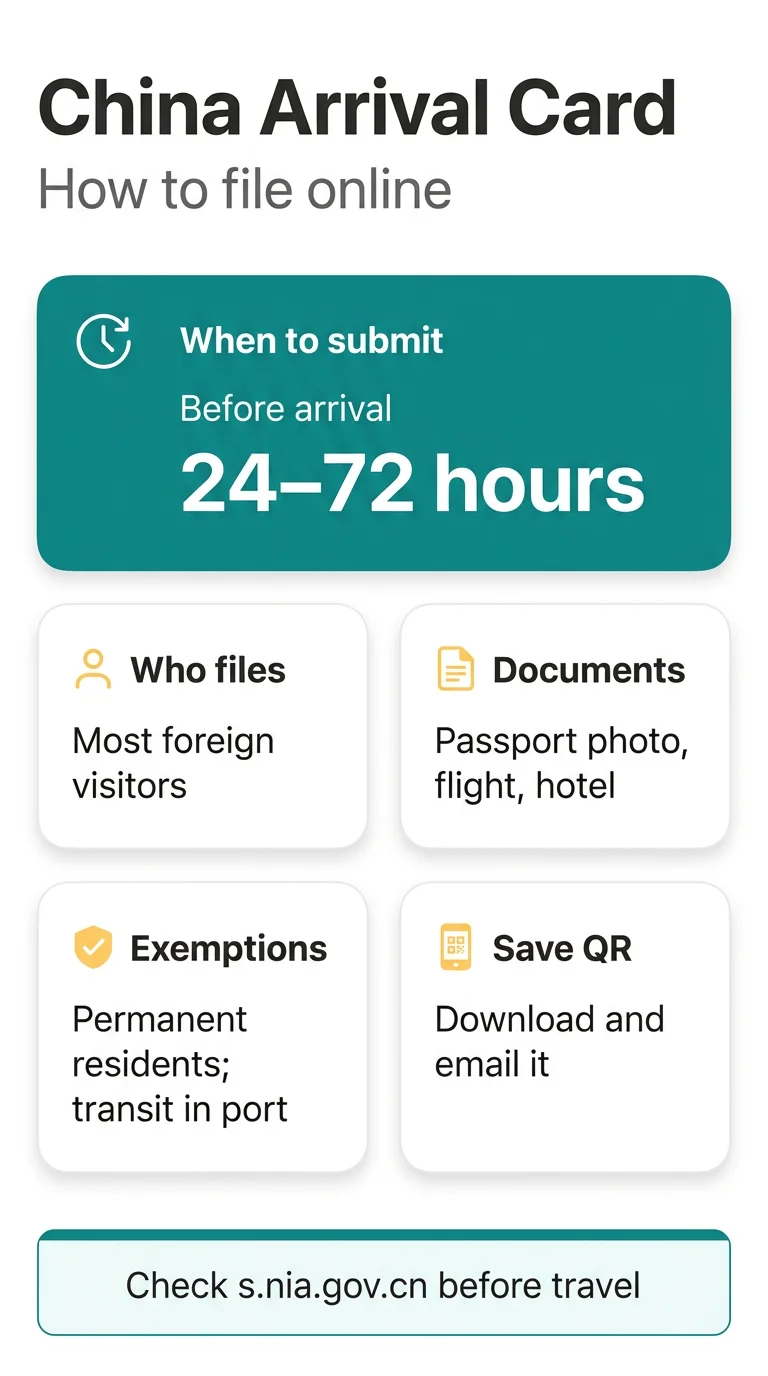
File the card before you travel, with flight details confirmed. For submission windows and cut-off deadlines, see when to fill the arrival card for China. Double-check your flight number before you submit.
Haven’t filed before departure? You can scan a QR code or use a self-service kiosk at the border checkpoint.
What to Have Ready First
Keep your passport, booking confirmations and an email inbox open before you start. Here’s the list:
- A clear, flat photo of your passport data page
- Check that your passport’s validity meets the entry rules for your nationality.
- Your visa number, if you hold a visa
- Your arrival flight number, port of entry and arrival date.
- Hotel address in China and a phone number with country code
- Purpose of visit
- An email address to receive the QR code
The card doesn’t grant entry. Your entry must still be lawful under visa or visa-free rules. The form may ask for a Confirmed Departure Itinerary (yes/no), so have your onward or return ticket handy. The form may include health questions. First-time visitors may have their fingerprints collected on arrival in China. For a complete checklist, see documents needed for the China arrival card.
How to Fill Out China Arrival Card Online
The first two screens cover your ID document and personal data, and personal details must match your passport. Here’s the order:
Open the portal
Open the portal on your phone or computer.
Choose your Type of ID Document
Choose your Type of ID Document.
Upload a passport photo
Upload a photo of the passport data page.
Check the OCR data
Check what the OCR filled in: name, passport number, date of birth, expiry date.
Add the rest
Add the rest: gender, nationality, country and city of birth, and an optional Chinese name.
Check every auto-filled field. Take a clear, flat photo of the passport data page, and follow the file format and size limits shown on screen. Check the name against your passport. If the extracted data is wrong, correct it by hand.
Flight Details and China Address Screens
Enter your arrival flight number, then fill the address fields from the top down. Screen 3 asks about travel:

- Select your entry mode: plane, train, vessel, car, on foot, or car and on foot.
- Type the flight number as it appears on your ticket.
- Pick the city or port of entry and the arrival date.
- Choose your purpose of visit. If you don’t hold a visa, choose your entry policy: 30-day visa-free or 240-hour transit, if either applies to you.
- Answer the Confirmed Departure Itinerary and invitation questions, and add a visa number if you have one.
Screen 4 covers your Destination Cities in China. The form asks for the city where you’ll stay the longest, and any transit cities in China separately. Enter the province, then the city, then the district, then the street and number. Add a phone number with country code and your email. For help with this field, see how to format the hotel address on the China arrival card.
Traveling alone without a local sponsor? If you have no inviting entity in China, answer No.
Signature Screen and QR Code
On the last screen you confirm your data, sign and save the QR code. Take it in this order:
Read the summary
Read the summary and fix anything that doesn’t match your documents.
Tick the box
Tick the box confirming the information is accurate.
Sign the form
Sign the form as the screen asks.
Submit and wait
Press the button to submit the form (it may read Submit or Confirm) and wait for the QR code.
Save the code
Save the code before you close the page.
You can save the code by downloading it, taking a screenshot or emailing it to yourself. A self-service kiosk can print it. Email the code to yourself too. For more on storing and scanning it, see saving your China arrival card QR code offline.
After Submitting: Offline QR and Fallbacks
Save the QR code so you can show it offline before you leave Singapore. Use this checklist:
- File the card before you travel, with flight details confirmed.
- Choose 30-day visa-free if it applies to you.
- Keep a screenshot and an email copy you can open offline.
- Or print the QR code for a hard copy.
At the border, show the QR code to NIA officers. First-time visitors may have their fingerprints collected on arrival in China.
Each entry needs its own card. If your flight changes, file a new card and show the latest QR code.
If the phone fails, use a self-service printing kiosk at the checkpoint to scan or fill in and print. Paper cards have also been handed out on planes and at immigration counters. Bring a pen, your passport and your hotel address.
How to Fill Out China Arrival Card Correctly
Common mistakes include:

- Your name differs from your passport. Copy it from the passport.
- Your flight number doesn’t match your ticket.
- You chose address fields out of order. Go from province down to street.
- You kept the QR code only online. Save it offline too.
False information can lead to an entry ban, so make sure every detail is accurate. If you spot a mistake after submitting, see how to fix an error on a submitted China arrival card.
Frequently Asked Questions (FAQ)
How to fill out China arrival card online step by step?
Open the portal at s.nia.gov.cn, upload your passport photo and check the personal data. Then enter flight details, the China address, tick the accuracy box, sign and submit. Save the QR code straight away.
How many hours before arrival can I submit the China arrival card?
Submit the form within the 24 to 72 hours before you arrive. Confirm the timing on the portal before you travel, and double-check your flight number before you submit.
Is the China arrival card free and where do I find the portal?
Yes, filing is free. Use the desktop page at https://s.nia.gov.cn/ArrivalCardFillingPC on a computer, or https://s.nia.gov.cn/ArrivalCardFillingPhone on a phone. If a site asks you to pay, close it, because the card doesn’t cost anything.
Do Singapore citizens need to fill out the China arrival card?
Yes. Visa-free stay periods depend on your nationality, so check them before you travel. You still file the card unless you belong to an exempt group.
Can I change my China arrival card if my flight changes after I submit?
Each entry needs its own card, so check your flight details before you submit. If your flight changes, file a new card with the correct details and show the latest QR code.
What happens if I don’t have my QR code at the airport?
You can scan a QR code or use a self-service kiosk at the border checkpoint to fill in and print the card. Paper cards have also been handed out on planes and at immigration counters. Bring a pen and your hotel address.
Is the China arrival card the same as the customs declaration?
No. The arrival card is your immigration entry declaration. Health questions may appear in the form too, though sources give no detail.
How do I fill out the destination city and address on the China arrival card?
The form asks for the city where you’ll stay the longest, plus any transit cities. Enter the address in province, city, district order, then the street and number. Copy each address from your booking confirmation.
Sources and Further Reading
- National Immigration Administration portal (s.nia.gov.cn): the foreigner arrival card filling section, linked from the “外国人服务” menu, with desktop and mobile filing pages.
Rules can change, so check the portal before you travel.